// FEAT.01
Deep content scanning
Reads inside documents, spreadsheets, text, and PDFs to surface personal identifiers, payment data, health info, and secrets, not just file names.
FileSentinel scans your files and folders for sensitive data: Social Security numbers, payment cards, health records, credentials, and the metadata you forgot was there. Everything runs on your device. It collects nothing and makes no network connections to do its work. Your privacy, guaranteed.
Sensitive data hides in spreadsheets, exports, screenshots, scanned PDFs, and old folders nobody remembers. FileSentinel finds it first, so a careless share never becomes a breach.
Most data leaks aren't dramatic hacks. They're an attachment with a hidden column, a screenshot with a token, a PDF with a patient name. Small mistakes, real damage.
Find it, understand it, fix it. FileSentinel covers the whole loop, from deep content scanning to one-click remediation, without a single byte leaving your machine.
Reads inside documents, spreadsheets, text, and PDFs to surface personal identifiers, payment data, health info, and secrets, not just file names.
Choose the data that matters most to you. Matching findings are escalated so your highest-risk exposure rises straight to the top of the list.
Turns on text recognition for JPG, PNG, TIFF, WebP, and image-based PDFs, catching sensitive data hidden inside screenshots and scanned paperwork.
Every finding is scored for confidence and severity, so you can separate verified Critical hits from likely false positives at a glance.
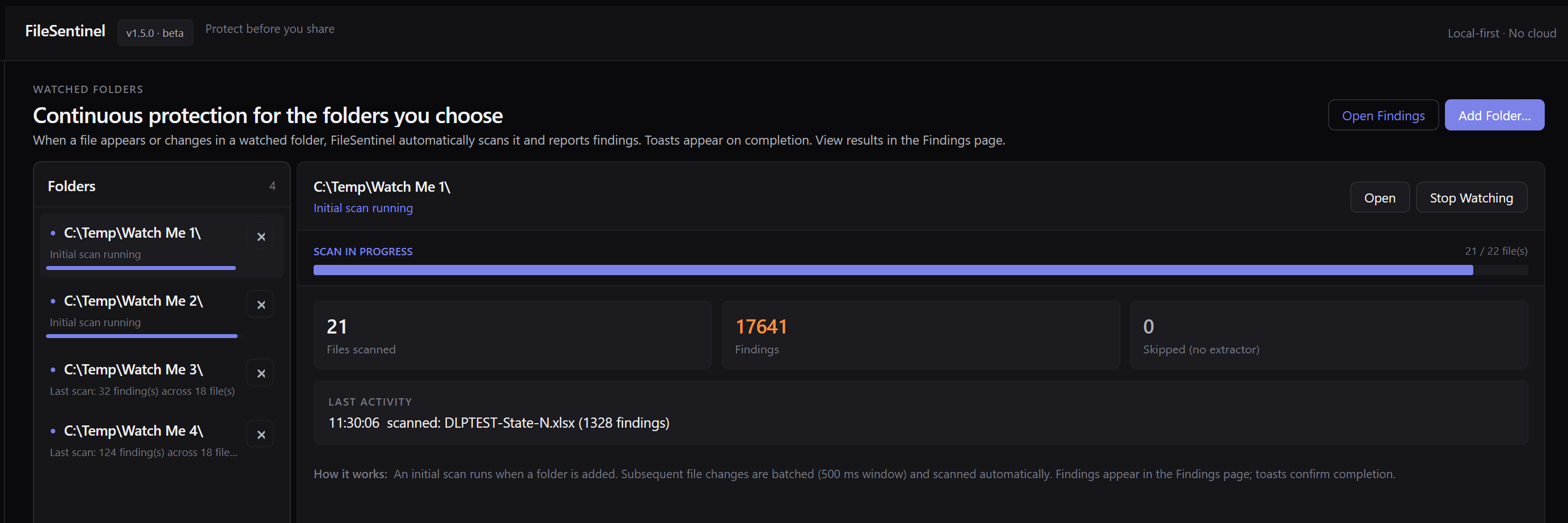
Pick folders to monitor continuously. New or changed files are scanned automatically and a toast tells you the moment something needs attention.
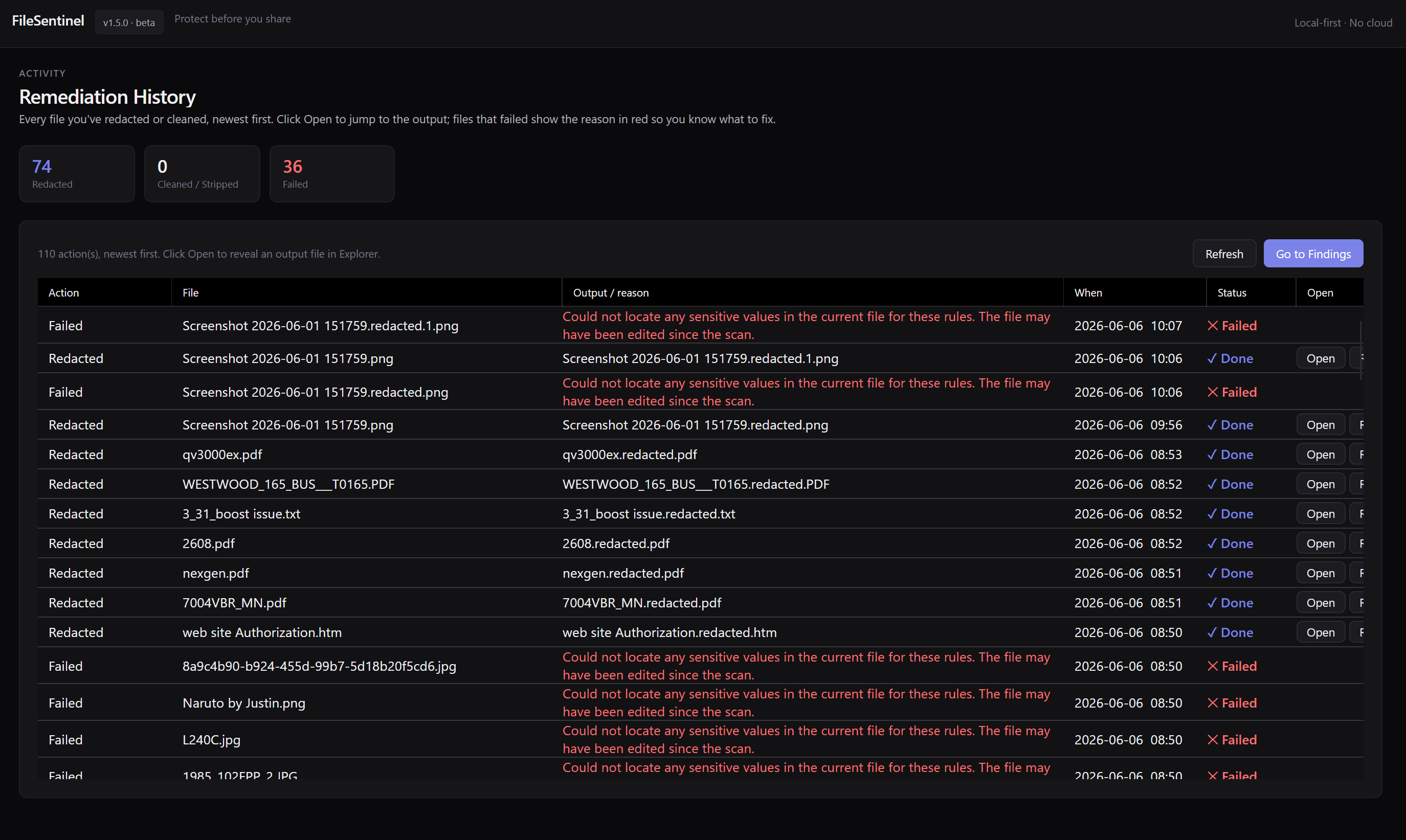
Remediate in place: redact sensitive values or strip metadata to a clean copy. A full remediation history records exactly what changed.
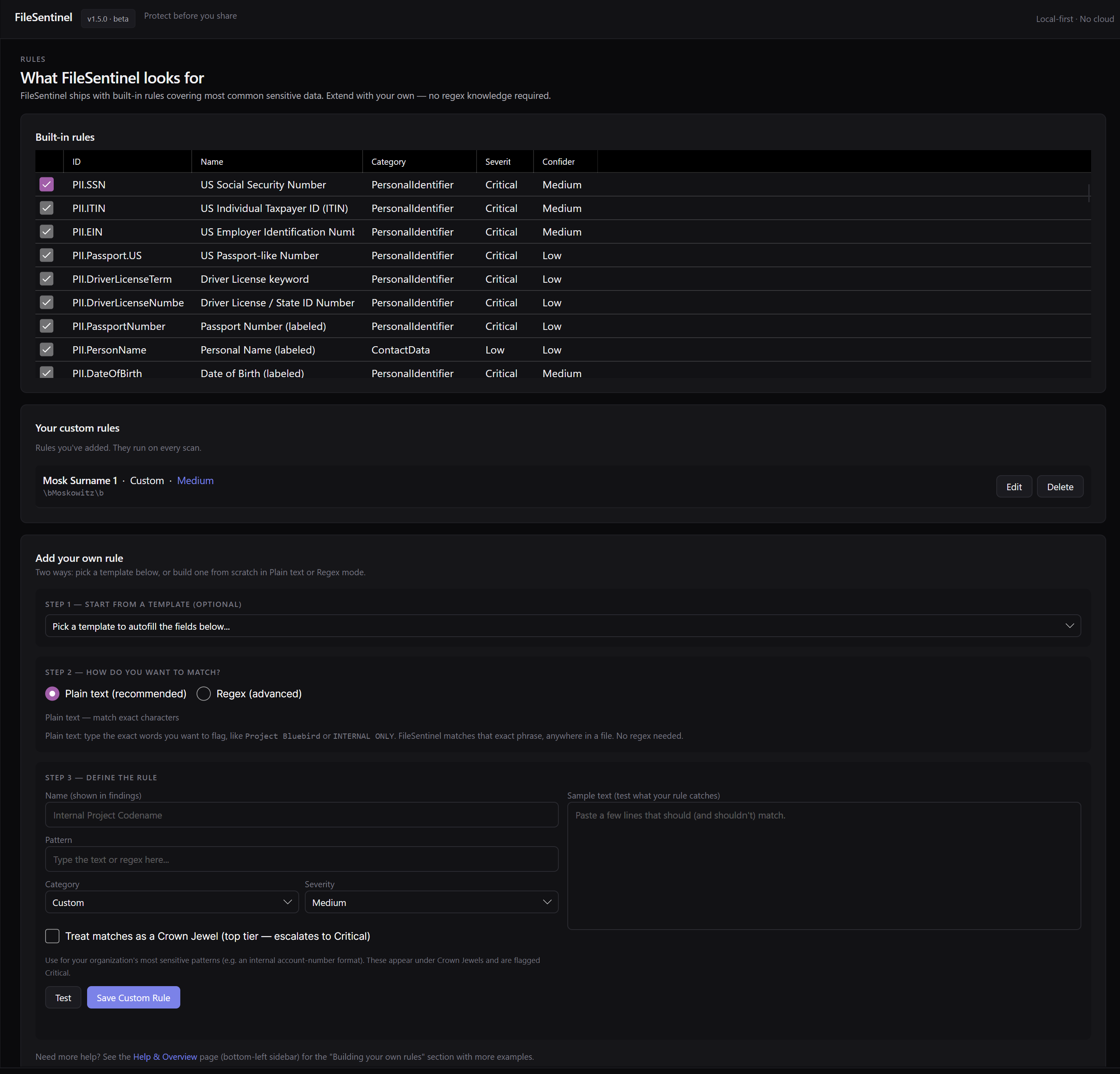
Add your own detectors with plain-text or regex matching for project code names, internal IDs, or client identifiers, and flag them as Crown Jewels.
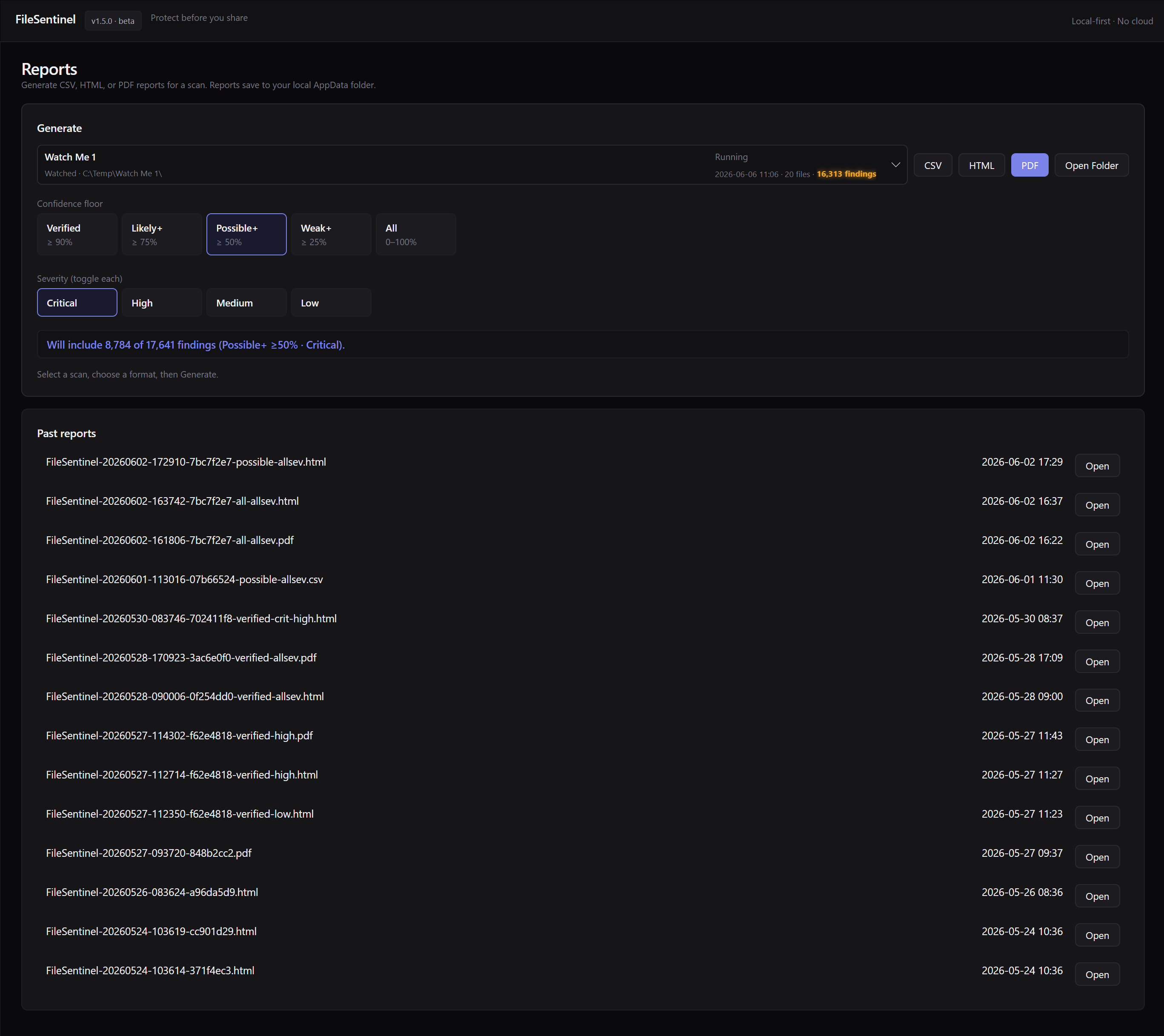
Generate clean CSV, HTML, or PDF reports filtered by severity and confidence, for an audit trail, a colleague, or your own records.
Scanning, OCR, and remediation all happen on-device. No server, no cloud, no upload step. The data you're protecting never has to leave to be checked.
Point FileSentinel at a folder, read a prioritized list of what it found, and clean up the risky bits before anything goes out the door.
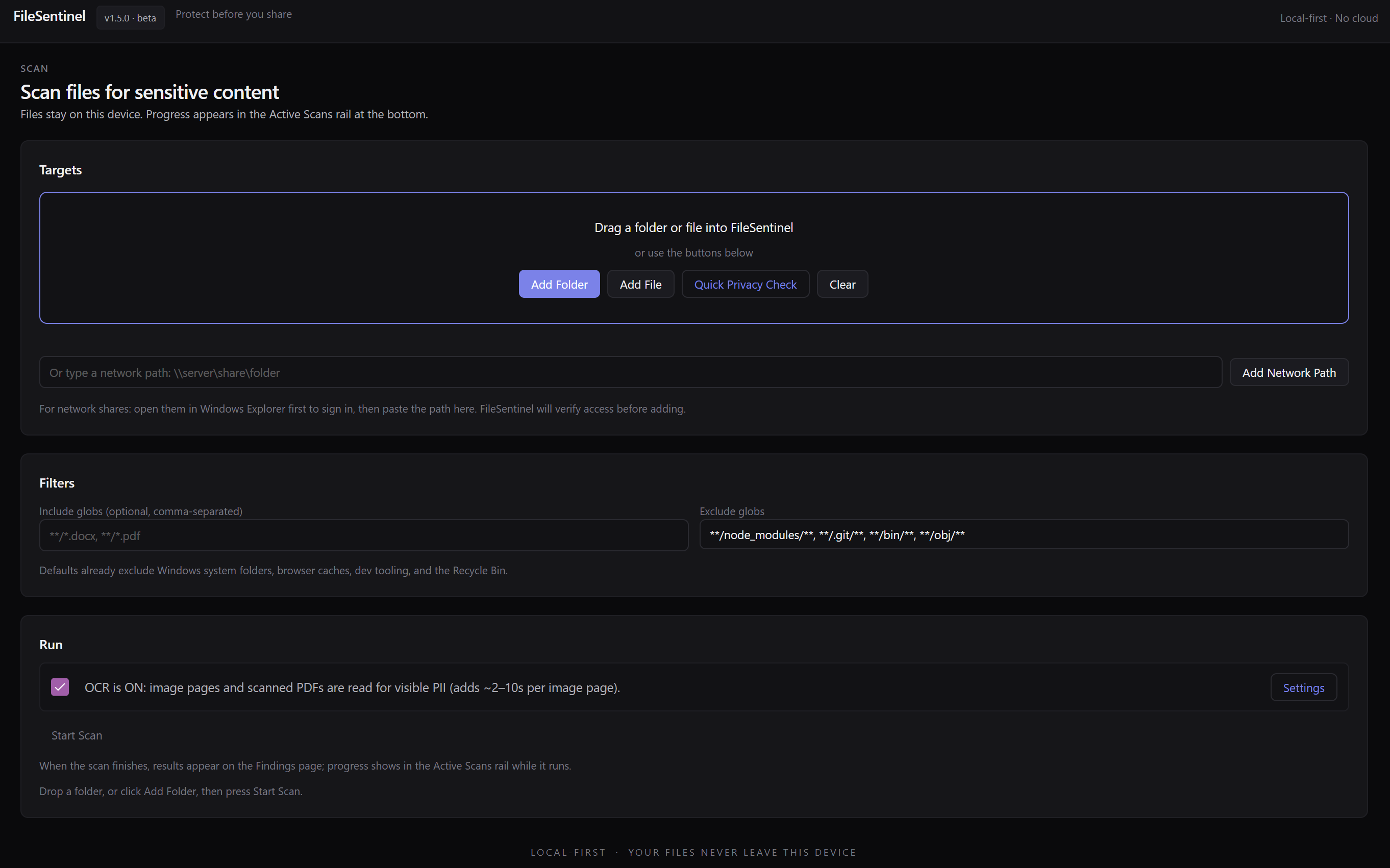
Drag a folder or file in, add a network share, or run a Quick Privacy Check. Filters and OCR are one toggle away. Everything reads locally.
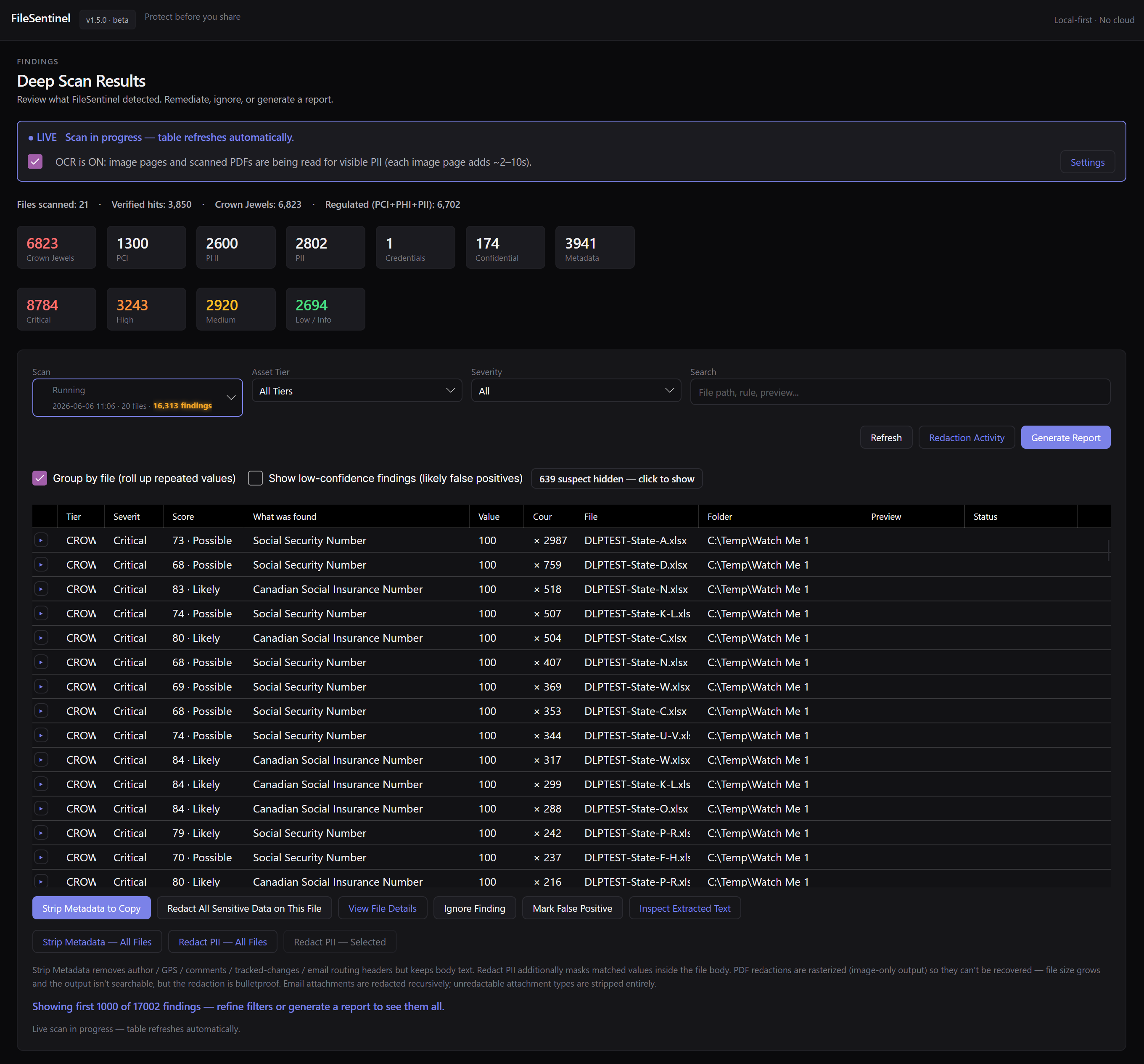
Findings arrive ranked by severity and confidence, grouped by file and asset tier. See what was found, where, and why, with the value redacted.
Redact values, strip metadata to a safe copy, mark false positives, or export a report. Then share knowing exactly what's inside.
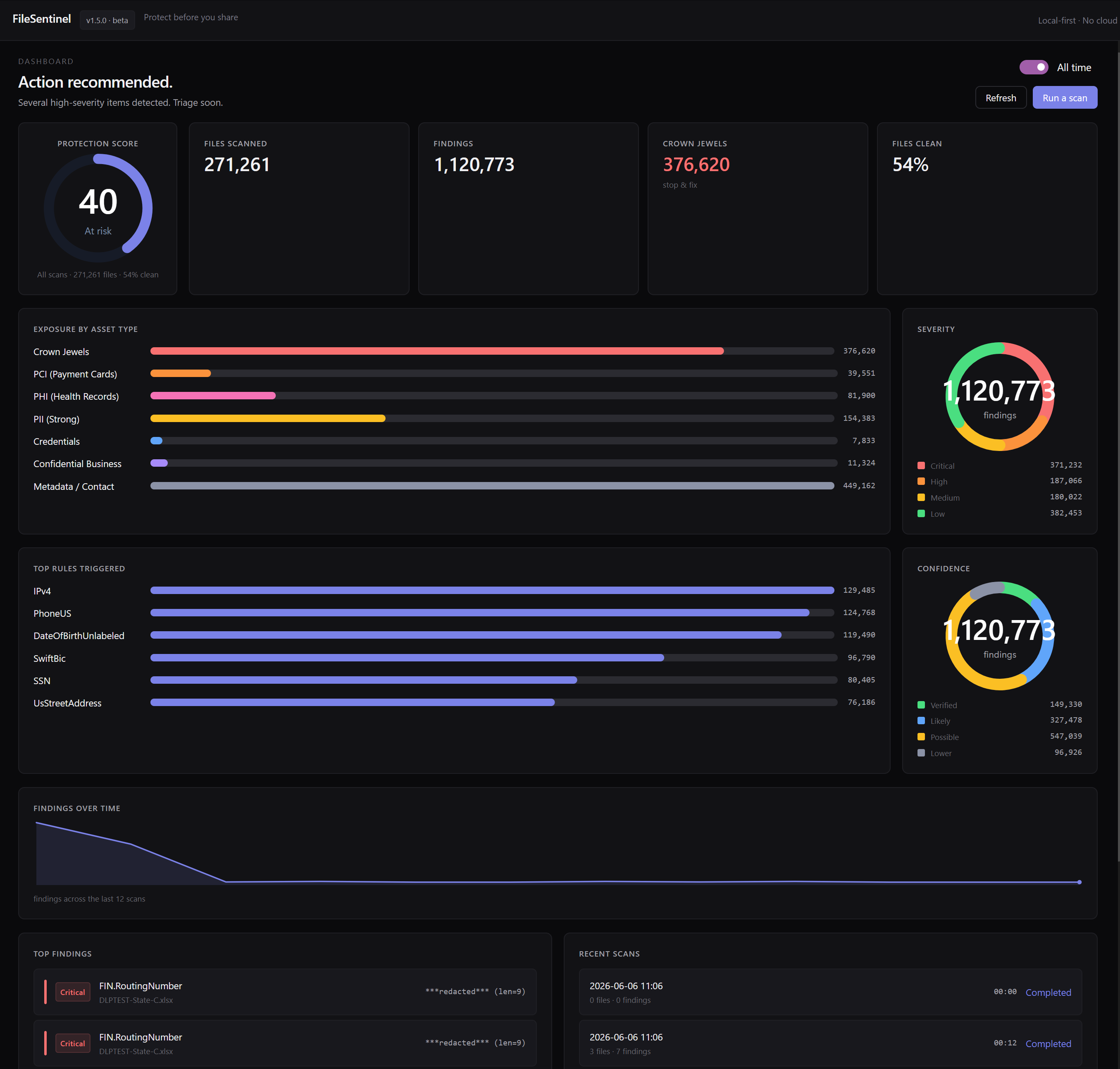
FileSentinel sorts what it finds into tiers, so you instantly understand the shape of your exposure. Built-in detectors cover the common cases, and custom rules cover the rest.
Anyone who shares files handles sensitive data, whether they realize it or not. FileSentinel is the quick check that keeps a routine share from becoming an incident.
Accountants, lawyers, consultants, and clinics handle client data daily. Scan before you email an export or a scanned form.
Watch shared drives and staging folders for stray PII, credentials, or payment data before it spreads or ships to the wrong place.
Clean GPS data out of photos and strip personal details from documents before posting, selling, or handing a device on.
Pick how hard it scans, what counts as a Crown Jewel, and how it lives on your desktop. Configure once, then let it run.
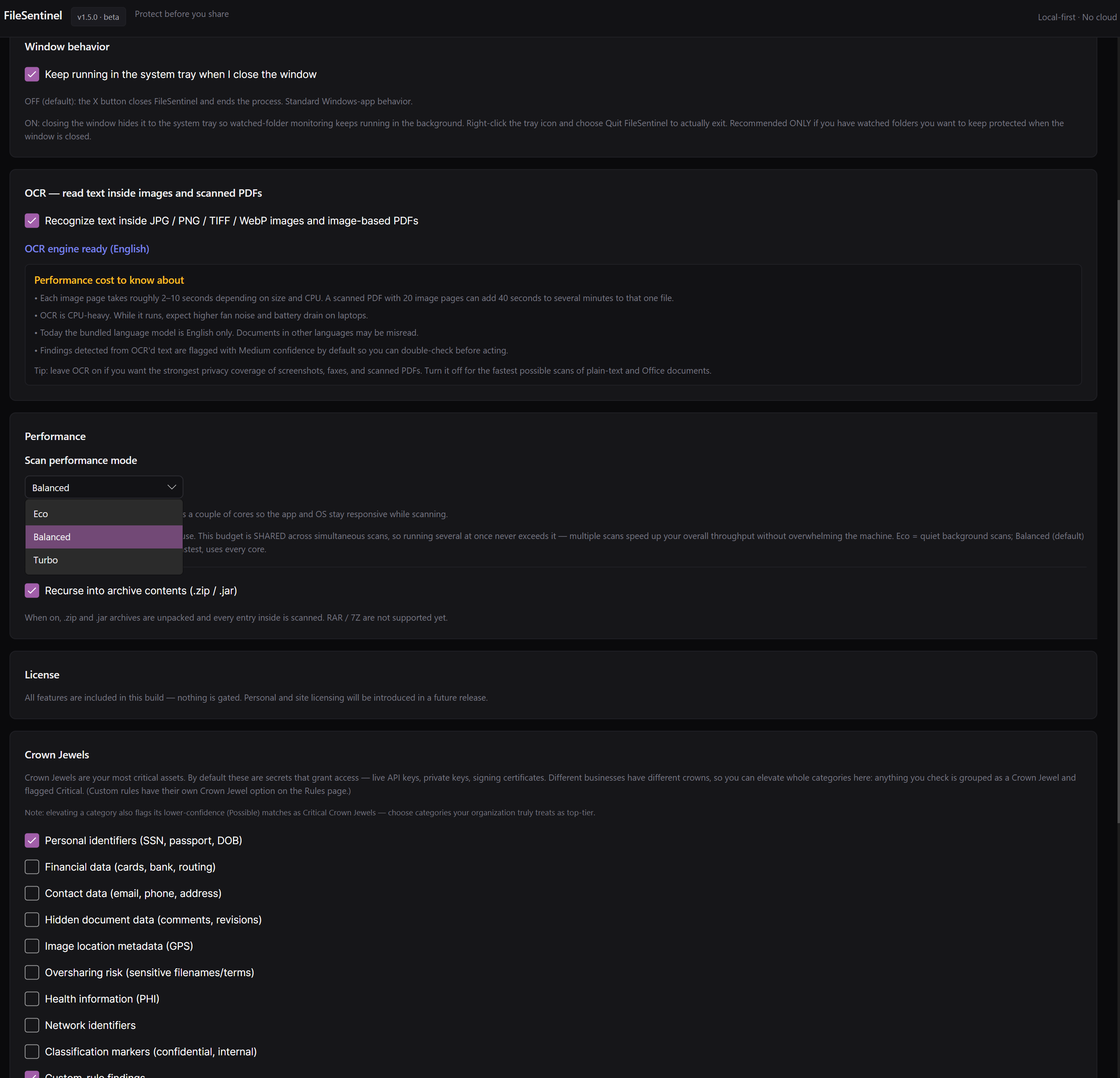
Choose a performance mode (Eco, Balanced, or Turbo), turn OCR on for the strongest coverage, recurse into archives, keep it running in the system tray, and define exactly which categories count as your Crown Jewels.
Quick answers on privacy, what it finds, OCR, remediation, Crown Jewels, supported systems, and how to get it.
Setup help, feature requests, or a privacy question. The support page and a direct line to the team are one click away.
FileSentinel is live on the Microsoft Store. Install it on your Windows PC and run your first scan in minutes.
Local-first sensitive data scanner for Windows. Find SSNs, payment cards, health records, credentials, and hidden metadata before you share, all on your own device. Windows 10 or Windows 11.
By installing or using FileSentinel, you agree to the EULA and acknowledge the Privacy Policy.